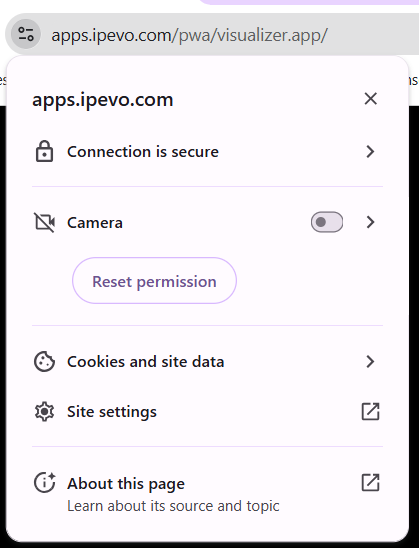
To use visualisers on any device, navigate to the site below.
https://apps.ipevo.com/pwa/visualizer.app/
This link can also be found on the staff dashboard.
The linked site allows visualizers to be used on both Windows and Chrome devices. Controls allow for the view to be frozen, rotated, flipped, etc.
If the device in use has multiple cameras connected, the webcam icon in the top left of the page can be selected to choose from a list of inputs.
When accessing this site, ensure you select allow it to use the camera when prompted.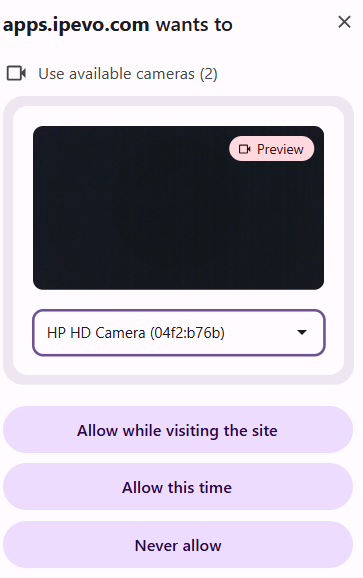 If you previously disallowed this, select the permissions menu on the left of the address bar and toggle camera to be allowed, whilst on the site.