
Right-click the desktop background, then in the menu select "display settings"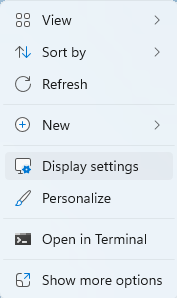
This will open the display menu, recognised monitors are numbered and shown in their virtual positions here. These positions can be changed by dragging them to the desired place. Pressing the identify button will show the corresponding numbers on the actual displays.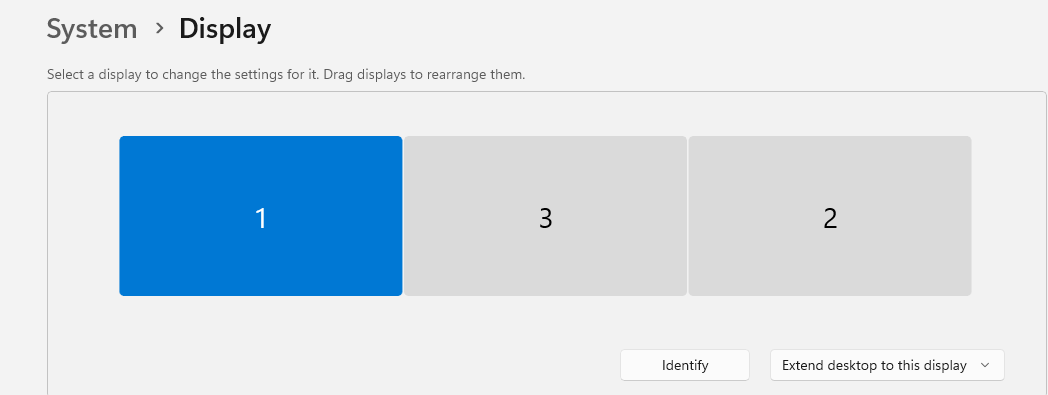
The preferred monitor can also be made the primary monitor by selecting it and selecting the checkbox "Make this my main display"
Rearrange Screens (Windows) Print
Created by: Hugh Watson
Modified on: Thu, 26 Feb, 2026 at 12:30 PM
Did you find it helpful? Yes No
Send feedbackSorry we couldn't be helpful. Help us improve this article with your feedback.