
Google Classroom doesn’t currently allow IT to set posting/commenting defaults across the whole school. Each teacher manages this setting in their own classes.
How to adjust posting/commenting
Open your class in Google Classroom.
Select Settings (gear icon).

In the General section, find Stream.
Choose one of:
Students can post and comment
Students can only comment
Only teachers can post or comment (recommended)
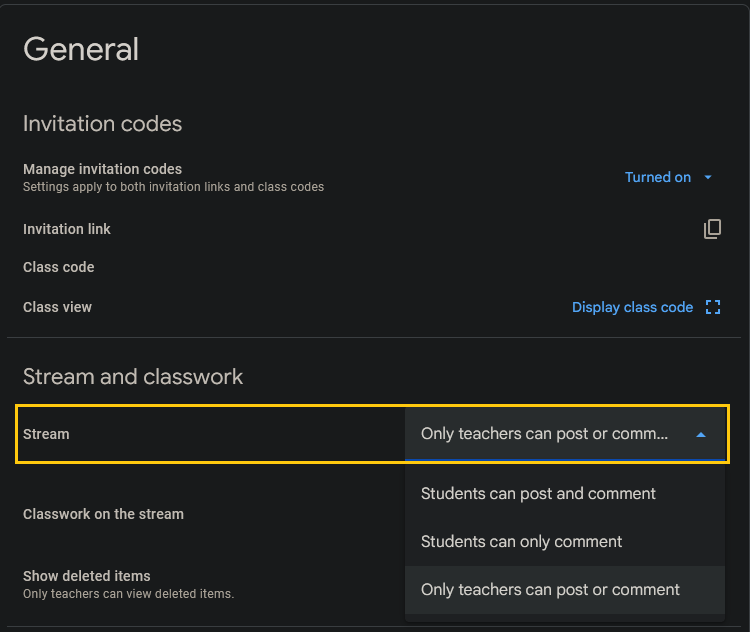
Recommended option
Only teachers can post or comment keeps the Stream clear of off-topic posts and reduces moderation.
When to check this
When creating a new class
At the start of term
After copying/importing a class
Private comments on assignments are not affected by this setting. Contact IT (helpdesk@) if you need help reviewing your settings on classroom.