
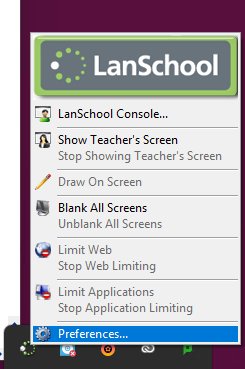
- Right click the Lanschool icon in the system tray
- Select preferences
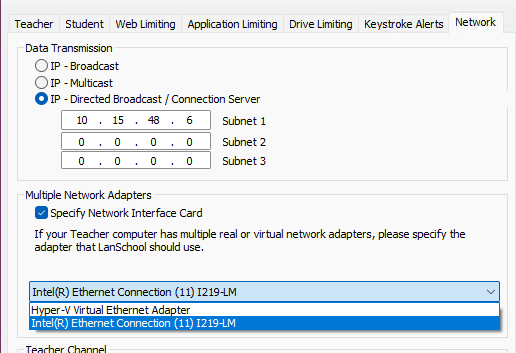
- Open the network tab
- Enable "Specify Network Interface Card"

- In the drop down, select the WiFi card. The options will look different to the below screenshot. The WiFi Card should be the only option.
Fix Lanschool not connecting on laptops Print
Created by: Jack Cross
Modified on: Wed, 8 Oct, 2025 at 9:46 AM
Did you find it helpful? Yes No
Send feedbackSorry we couldn't be helpful. Help us improve this article with your feedback.