
When trying to log into SchoolCloud at BCCS, teaching staff now log in with Google.
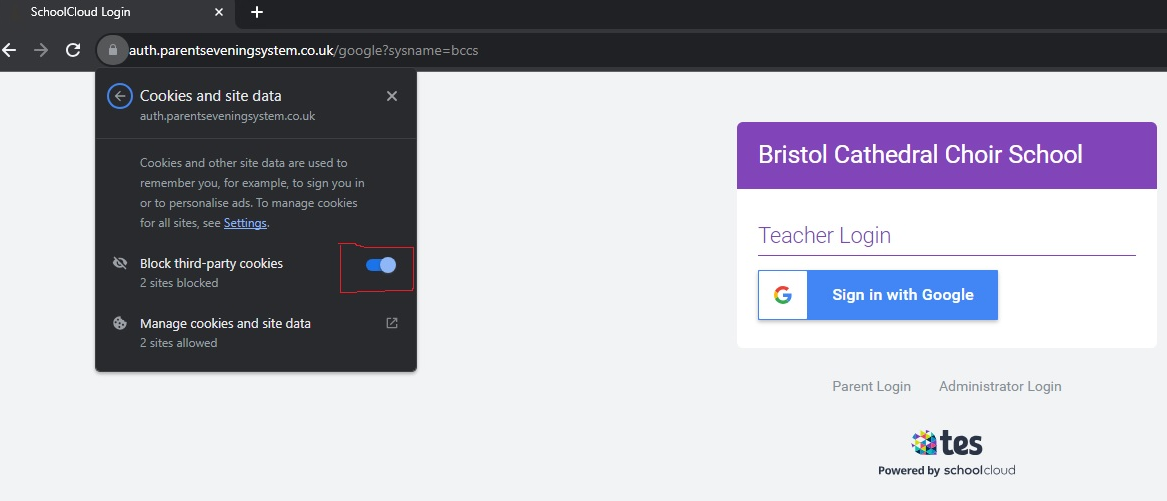
After signing into Google in the popup window, some users are faced with an issue where it doesn't sign them in. This is to do with the browser blocking Google's Cookies.
To resolve:
- Click the padlock in the address bar.
- Click 'Cookies and site data'
- Untick the "Block third-party cookies" toggle
- Refresh your page and sign in again.