
On your keyboard, hold down '⊞ (Windows)', and press 'P'.
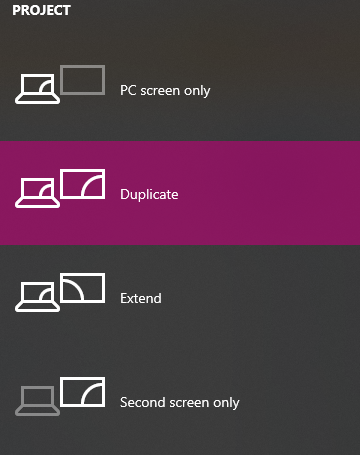
You should be met with the following panel on the right-side of your screen.
Explainations:
PC screen only = The computer will only show on primary display.
Duplicate = The same will be output to both displays (this option is used for SMARTboards, projectors, etc.).
Extend = Your displays are unique, treated as left and right / top and bottom, or otherwise (used for dual monitor setups).
Second screen only = The computer will only show on secondary display.