
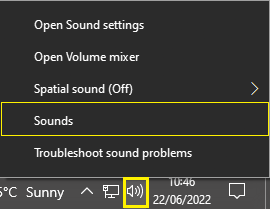
Right click the volume icon in the bottom right corner, and click ‘Sounds’.
From the Sound Properties pop-up, select the ‘Recording’ tab.
Double click the default microphone with the green tick to access the microphone properties
Select the "Levels" tab
The icon should look like this:

If instead, it looks like this: (with a red symbol on it), then click the icon to unmute the device.

6. Click ‘Ok’ to confirm your changes.